FAQ
Frequently Asked Questions
Q: I do not know what to input as my measurement is different from last year.
You can go to your hospital uniform store to do a make to measure for your uniforms.
Q: How do I change my order? I need to cancel my order. I need to change the number of uniforms to order.
To make changes to your order, we will need you to log into the portal. Do the following.1. Click on "My account" on the top right side of the website.
2. Click on "My Orders"
3. Click on the eye button on the right of your order.
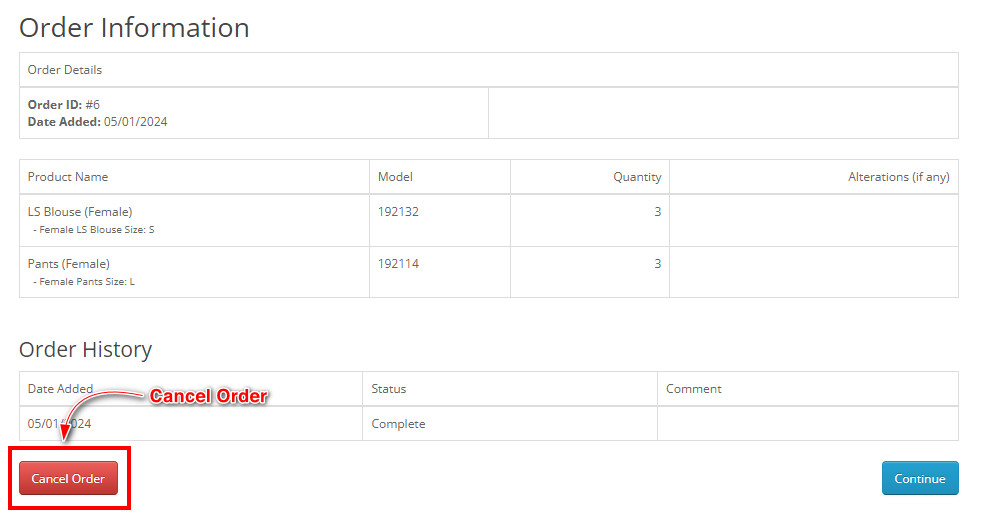
4. Finally, click on the "Cancel Order" on the bottom left of the page.
After this, you will need to start over and place a new order.

Q: I am unable to place an order for shoes.
We are the uniform supplier but not the shoe supplier, hence you are unable to order the shoes in our portal. Please check with your MMD on how to order your shoes.
Q: I am unable to login with my employee number.
Do make sure your employee number is entered correctly.
If the error persists, please check with your MMD. We are only given employee numbers who are eligible to make orders by your MMD.
After confirming with your MMD, they will update us with your info and we will update the online portal accordingly.
Q: I wish to purchase more uniforms.
If you wish to purchase more uniforms, please go to the uniform store in your hospital.
Q: I have entered my size and quantity for my uniform, but I cannot see them when I clicked on view my items.
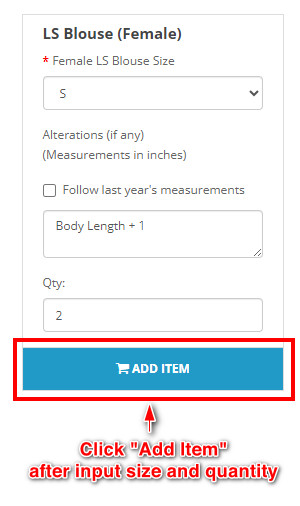
Please make sure that you have clicked on the Add Item button after you entered your size and quantity. They will not be added to your order until you do so.
Q: I cannot process to “View your Item(s)” because I do not put quantity in the item I don’t want.
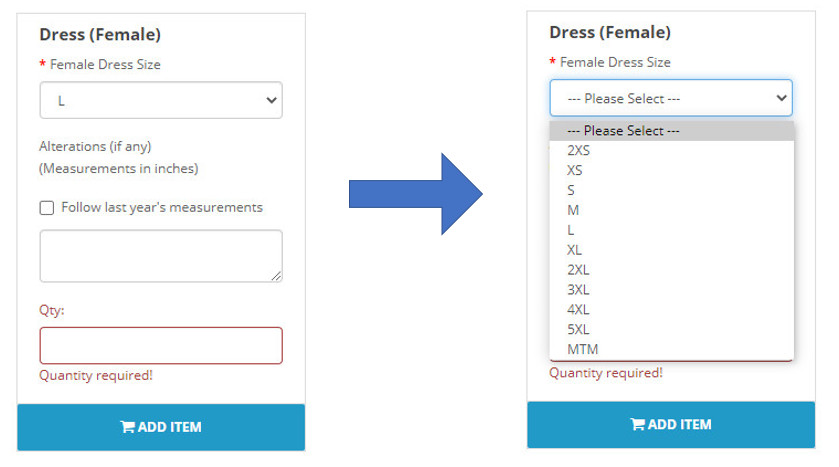
Select “---Please Select---” to unselect the size of the item you don’t want to order.